
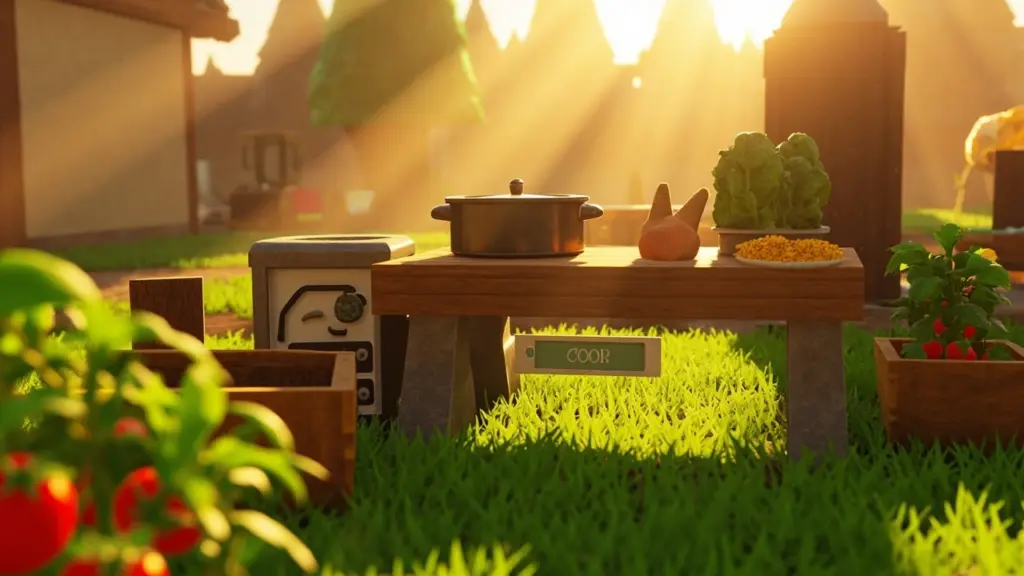
How to make sushi in Grow a Garden
Cooking in Grow a Garden looks simple from the outside, but the actual loop has a few moving parts that decide whether your sushi actually turns out. The Cooking Kit is a cosmetic item that lives in your garden, and the pot in front of it is where every recipe, including sushi, comes together. Once you understand the kit, the pot, and the ingredient list, the dish itself takes only a few interactions to make.
This guide walks through the full process for learning how to make sushi in Grow a Garden, starting with what the Cooking Kit actually is, the ingredients sushi uses, the exact interaction sequence at the pot, and what to do if your cook fails or your ingredients look wrong. It also covers how sushi fits into the wider food pet progression system, so you understand why cooking it matters beyond simply unlocking one recipe.
What the Cooking Kit is and why it matters for sushi
The Cooking Kit was introduced as a cosmetic station you can unlock by working through Core Achievements in the Garden Guide. It is not a tool you buy with in-game currency, and it is not a permanent upgrade to your character. It is a piece of placed furniture in your garden that opens a cooking interface whenever you walk up to it. Before the Cooking Kit existed, cooking was tied to temporary events such as the Trading and Cooking Event, where the chef Chris P. Bacon handled recipes. The kit moved cooking out of event windows and made it a stable, repeatable activity.
For sushi specifically, the kit matters because it is the only station that lets you assemble the dish from harvested crops. You cannot cook at a workbench, at a trader’s stall, or by clicking a recipe in your inventory. The full interaction happens in front of the pot on the kit, which is why the rest of this guide treats the pot as the central object.
Ingredients sushi uses in Grow a Garden
Sushi is built from a small, fixed list of crops rather than a free choice of anything in your inventory. Working from the sushi recipe itself, the standard ingredient set is a rice-style grain, a seaweed-style plant, and a fish. Each of those maps to an item you grow or obtain through normal garden progression, so the recipe is designed to test whether you have a balanced plot rather than a single-crop farm.
You do not need to collect sushi ingredients in a specific order, and the kit does not lock out partial progress. If you add two of the three ingredients and walk away, the pot simply waits for the missing one. This makes the recipe forgiving to learn, but it also means you should double-check the Ingredients list on the left of the cooking UI before pressing Cook, because a missing or wrong item is the most common reason the result does not look like sushi.
Step-by-step: how to make sushi in Grow a Garden
The cooking process itself is short. The longer part of the work is making sure you have the right crops in storage and the Cooking Kit placed in a reachable spot. With those two things ready, the dish comes together in four interactions.
- Walk to the Cooking Kit in your garden and face the pot on top of it.
- Equip the first ingredient from your hotbar or inventory so it shows as your active item.
- Interact with the pot to drop the ingredient in. Repeat for each sushi ingredient until the Ingredients list on the left shows the full recipe.
- Press the Cook button to start cooking, then interact with the pot again to collect the finished sushi.
Each ingredient appears on the Ingredients list the moment it enters the pot, which is the cleanest signal that the system has accepted it. If an item does not appear, you have likely equipped the wrong crop or the wrong variant of the right crop, and it is worth re-checking before you commit to the cook.
Reading the cooking interface
The cooking UI is intentionally compact. The pot is the focal point, the Ingredients list sits to the left, and a single Cook button confirms the action. Because there is no preview of the finished dish before you press Cook, the Ingredients list is the only feedback you have. Treat it as the source of truth: if the list does not match the sushi recipe, the result will not be sushi, even if the pot accepts the inputs.
There is no timer visible to the player in the standard flow, and there is no partial reward for cancelling mid-cook. Once you press Cook, the only reasonable next step is to wait for the pot to finish and then interact with it again. If you leave the area, the dish still completes as long as the server keeps your plot loaded.
Common mistakes when learning to cook sushi
Most failed sushi cooks come from the same handful of issues. Going through them once before you start saves ingredients and avoids a frustrating reset loop.
- Equipping the wrong crop variant. Several plants have multiple growth stages or quality tiers, and only one of them counts for a given recipe. The Ingredients list is the fastest way to confirm.
- Trying to cook at the wrong station. The Cooking Kit is the only place that runs recipes. Trader stalls, seed boxes, and the original event chef do not accept the sushi inputs the same way.
- Forgetting to re-equip between ingredients. The kit expects you to swap your held item for each new ingredient. Holding the same item and clicking the pot repeatedly will not add duplicates.
- Walking away before the cook finishes. The dish completes in place, but if your plot unloads or you log out, you may need to rejoin before you can collect the result.
None of these are bugs, and none require a patch to fix. They are part of the cooking interface’s design, and once you internalize them, sushi becomes one of the more reliable recipes to make.
How sushi fits into the food pet system
Cooking in Grow a Garden is not an end in itself. Each dish feeds into the food pet mechanic, which evaluates the meal you produced and reacts to it. Sushi is on the higher end of recipe complexity because it pulls from three different crop families, and that complexity is what makes it useful for pet progression. A food pet that prefers multi-ingredient meals will respond more strongly to sushi than to a single-crop dish, even if both technically count as food.
This is also why it is worth cooking sushi even after you have unlocked the recipe. Each successful cook is an opportunity to test which food pets react well to it, which seeds you get back as a result, and how the pet’s mood or growth changes. Treat the recipe as a stable input you can repeat, rather than a one-time unlock.
Cooking efficiency and replanting workflow
For additional context, Because sushi uses three different ingredients, the slowest part of the recipe is usually the supply chain, not the cooking itself. A practical workflow is to keep a dedicated sushi plot that always has the three ingredient crops in rotation, so you never have to wait for a seed to grow when you want to cook. The kit does not care whether the ingredients are fresh or stored, so harvesting into a chest and pulling from the chest as you cook is a reliable pattern.
For players who run multiple recipes, it is worth grouping ingredients by recipe rather than by crop type. A small chest labelled “sushi” with exactly the three required plants means you can walk to the kit, empty the chest into the pot, and cook without spending time picking through your full inventory. This is a small change, but it compounds across many cooks.
Troubleshooting sushi cooks that do not work
When a sushi cook fails, the cause is almost always one of three things: a wrong ingredient, a missing Cooking Kit, or a server state issue. The table below summarizes the symptoms and the most reasonable next step for each. It is not a list of patches or bug reports; it is a diagnostic guide based on how the cooking UI behaves.
| Symptom | Most likely cause | What to check first | Reasonable next step |
|---|---|---|---|
| Cook button does nothing | Ingredients list is missing one or more items | Compare the list to the sushi recipe | Re-equip the missing crop and add it to the pot |
| Result is not sushi | Wrong crop variant was used | Inspect each ingredient’s name and stage | Dump the pot, restock with the correct crops, and recook |
| Pot does not respond | You are not within interaction range of the Cooking Kit | Move closer until the prompt appears | Re-approach the pot and try the interaction again |
| Dish is missing after cooking | Plot unloaded or the player logged out too quickly | Rejoin the server and return to the kit | Recook if the result did not save |
Most of these cases resolve on the second or third attempt. The cooking system is deterministic in the sense that the same correct ingredients always produce sushi, so persistence is more useful than restarting from scratch.
Sushi compared to other multi-ingredient recipes
Sushi is not the only multi-ingredient dish in the game, and it helps to know where it sits on the complexity curve. The comparison below focuses on how each recipe behaves at the Cooking Kit, not on flavour or pet bonuses, which are intentionally left out because they can shift with updates.
| Recipe | Ingredient count | Ingredient variety | Difficulty at the pot | Notes for new cooks |
|---|---|---|---|---|
| Sushi | 3 | High (grain, plant, fish) | Medium | Good first multi-ingredient recipe because the ingredient list is short |
| Single-crop dish | 1 | None | Low | Useful for learning the kit interface before moving to sushi |
| Large feast-style recipe | 4+ | High | Higher | Worth attempting only after sushi feels comfortable, due to ingredient juggling |
Sitting in the middle of that range is what makes sushi a reasonable benchmark recipe. If you can cook sushi reliably, you have the kit workflow down, and most other recipes become a matter of remembering their ingredient lists.
How the Cooking Kit changed the cooking meta
Before the kit, cooking lived inside the Trading and Cooking Event and revolved around Chris P. Bacon. That model tied recipe access to event windows, which made cooking feel temporary and somewhat unpredictable. The kit moved the same cooking loop into a permanent fixture, which is a meaningful design shift for a farming game: it turns cooking from a seasonal feature into a baseline activity, alongside planting, harvesting, and trading.
For developers and designers reading the loop, the kit is a clean example of taking a system that was event-scoped and giving it a stable home. The pot, the Ingredients list, and the Cook button together form a minimal interface that does not need tutorial text to explain, which is a useful pattern for any system in a Roblox farming game where players rotate in and out frequently.
Quick checklist before you start a sushi cook
Running through the same short list before every cook removes most of the small errors that interrupt the flow. It is the same list the kit implicitly asks you to complete, just written out so you can keep it next to your plot.
- Confirm the Cooking Kit is placed somewhere you can reach without obstacles.
- Confirm your inventory has the three sushi crops and nothing has decayed or been traded away.
- Equip the first ingredient, approach the pot, and check that the interaction prompt appears.
- Add each ingredient one at a time and watch the Ingredients list update.
- Press Cook only when the list matches the recipe, then return to the pot to collect.
Treating this as a ritual rather than a one-time guide is what turns cooking from a chore into a routine you can repeat across many sessions.
What to do after you have cooked sushi
Once the dish is in your hand, you have a few sensible options depending on what you are trying to accomplish in your garden. Feeding a food pet is the most direct use, because the pet’s response is the clearest signal that the recipe is working as intended. Trading the dish is also valid, although the value of sushi as trade goods depends on what other players are looking for at the time.
If you are more interested in progression than in the meal itself, you can cook sushi repeatedly to test how different food pets react, then settle on the pets that give you the best return in seeds or experience. The kit does not penalize repeated cooks, so using sushi as a stable input for pet testing is a reasonable long-term strategy.
Limitations of the current cooking system
It is worth being honest about what the kit does not do. There is no in-game recipe book, so you have to remember ingredient lists or reference an external guide. The cooking UI does not preview the dish, so you only see the result after pressing Cook. And the kit does not give feedback on ingredient quality, which means the difference between a normal and a high-tier crop can be invisible at the cooking step.
These are not criticisms so much as design boundaries. Knowing where the system stops is what lets you plan around it, whether that means keeping a written recipe list, batching your cooks, or focusing on quantity over quality for sushi specifically.
Frequently asked questions
Do I need the Cooking Kit to make sushi in Grow a Garden?
Yes. Sushi is cooked at the Cooking Kit’s pot, not at a trader’s stall or at the original event chef. The kit is the only station that accepts the sushi recipe, and it is unlocked by completing Core Achievements in the Garden Guide.
What ingredients do I need to make sushi?
Sushi uses three ingredients: a rice-style grain, a seaweed-style plant, and a fish. The exact crop names can shift with updates, so the Ingredients list on the left of the cooking UI is the most reliable reference at the moment you cook.
Can I cook sushi before the Cooking Kit is unlocked?
No. The kit is the prerequisite for the full cooking interface, including sushi. Before the kit exists, cooking is limited to event windows such as the Trading and Cooking Event, where the available recipes are different.
What happens if I add the wrong ingredient to the pot?
The pot still accepts the item and shows it on the Ingredients list, but the final dish will not be sushi. You can dump the pot’s contents and restock with the correct crops before pressing Cook, which avoids wasting the other ingredients.
How long does a sushi cook take?
The cooking interaction is short and resolves in place at the pot. There is no visible timer in the standard flow, and the dish is ready to collect as soon as the pot finishes. If you log out during the cook, the result may not save, and a recook is sometimes required.
Is sushi worth cooking more than once?
Yes, because each cook is a chance to feed a food pet or test which pet responds best to multi-ingredient meals. The kit does not penalize repeated cooks, so sushi is a reliable input for longer pet progression experiments.
Does ingredient quality change the sushi result?
The cooking UI does not surface quality information, so the difference between a normal and a higher-tier crop is not visible at the cook step. The Ingredients list confirms the recipe, not the tier, which is worth knowing if you are optimising for a specific pet bonus.
What should I do if the Cook button does nothing?
Check the Ingredients list first. The most common reason the button does nothing is that one of the three sushi ingredients is missing or has been replaced with the wrong crop. Restock the missing item and try again.
Can I trade sushi to other players?
Sushi is a tradable cooked item, but its value depends on what other players in your server are looking for at the time. If you are trading specifically for seeds or currency, it is worth checking current demand before you commit a full batch of sushi to a single trade.
Where can I confirm the current sushi recipe?
The most reliable source is the cooking UI itself, since the Ingredients list reflects the current recipe. For a written walkthrough, the IGN wiki entry on making sushi in Grow a Garden is a useful reference and explains the same pot-based flow covered in this guide.
Leave a Reply